In modern work management, there is a silent enemy that is often mistaken for a virtue: multitasking. We have been taught that doing several things at once is a sign of efficiency. In reality, the opposite is often true.
In this article, we will explore WIP Limits — Work In Progress Limits — not as a bureaucratic restriction, but as a practical tool for reducing harmful multitasking and recovering lost focus.
The Illusion of “Doing Everything at Once”
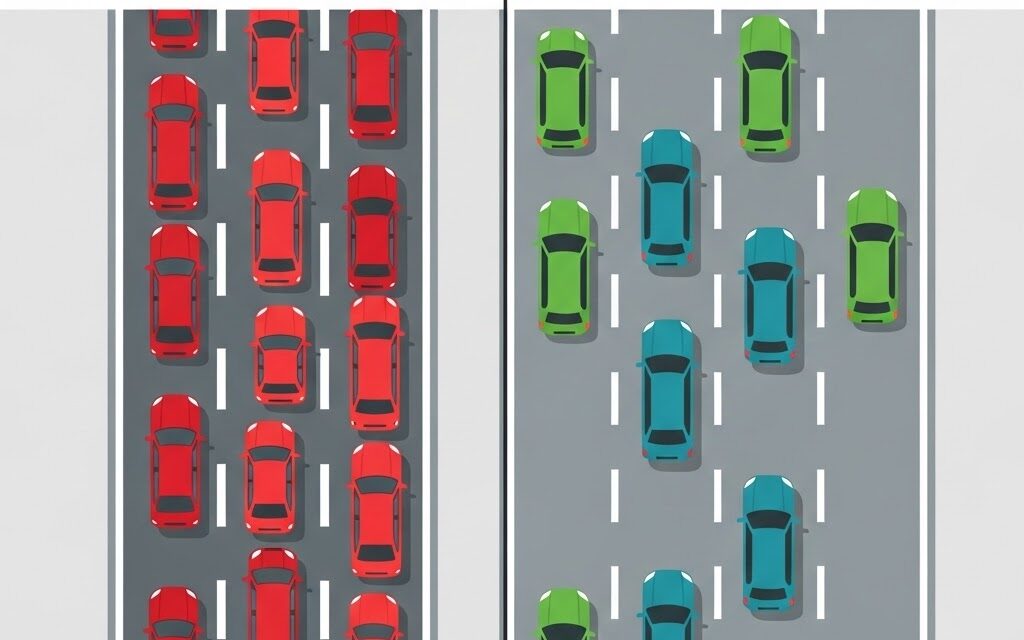
Imagine a highway. If the goal is to get cars to their destination as quickly as possible, what happens when the highway is filled to 100% of its capacity?
Traffic slows down. Congestion appears.
The same thing happens in our work. When we take on too many tasks at the same time, we overload our mental “highway”.
The result is not greater speed, but a general slowdown across all activities.
The Hidden Cost: Context Switching
What we often call harmful multitasking is really context switching.
Every time you interrupt one activity, Task A, to answer an email or start another activity, Task B, your brain has to:
- Save the status of Task A.
- Load the context of Task B.
- Work on Task B.
- Leave Task B and reload Task A, trying to remember where you left off.
The more active tasks you manage at the same time, the more energy and attention you lose in the transitions between them.
The problem is not simply being busy. The real issue is that constant switching reduces the amount of time spent creating actual value.
WIP Limits: Stop Starting, Start Finishing
WIP Limits are explicit constraints on the number of tasks that can be in a specific stage of the workflow at the same time, such as In Progress, Development or Review.
Applying a WIP Limit means saying:
“We cannot start this new task until we finish one of the tasks already in progress.”
This simple rule changes the behaviour of the entire team.
Why Do WIP Limits Work?
-
They force prioritization.
If only three tasks can be in progress, the team has to decide which three matter most. There is no room for “everything is urgent”. -
They reduce lead time.
Reducing the amount of work in progress usually helps tasks move through the workflow faster. -
They expose bottlenecks.
Without limits, work can accumulate silently. With WIP Limits, an overloaded column becomes immediately visible, pushing the team to solve the problem instead of continuing to add more work.
How to Implement WIP Limits Without Panic
Limiting work in progress may feel counterintuitive at first.
“Are you telling me not to work?”
Not exactly. The goal is to finish more work by starting less of it.
1. Visualize Your Current Work
Before setting limits, you need visibility.
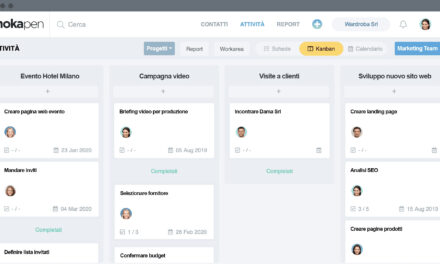
Create a physical or digital board and map everything that is currently in progress.
You may be surprised by how much work is technically “open” but not actually moving toward completion.
2. Start with a Generous Limit
Do not start with an overly restrictive limit.
Set an initial WIP Limit based on the real capacity of the team, with a small buffer.
For example, if three people are working on a process, you might begin with four or five tasks in progress.
The goal is to create focus without introducing unnecessary rigidity.
3. Respect the Golden Rule
Once the limit is reached, the rule must be clear:
Do not start new work.
If you are blocked on a task, do not automatically open another one.
Instead:
- help a colleague finish an existing task;
- remove the blocker;
- improve the process;
- collaborate on work that is already in progress.
This creates a team mentality focused on finishing, rather than simply staying busy.
Conclusion: Slower Can Be Faster
Harmful multitasking creates the feeling of constant activity, while in reality work may simply be moving from one place to another without being completed.
WIP Limits provide a disciplined way to reduce this problem.
They require the courage to say “not now” and the discipline to finish what has already been started.
The result is a healthier, more predictable and often faster workflow.
Remember the principle:
Stop starting. Start finishing.
Ready to Bring Order to the Chaos?
Don’t let your projects manage you. Take control today. Mokapen is the intuitive, fast and powerful tool to plan, track and deliver your projects on time.