Time is one of the most valuable resources a team has, yet it is often managed reactively.
Meetings appear unexpectedly, emails interrupt focused work and urgent tasks quickly consume the day.
Two popular approaches try to solve this problem from different perspectives: Time Blocking and Time Tracking.
Time Blocking helps you decide in advance how you want to use your time.
Time Tracking helps you understand afterward how your time was actually spent.
Both can improve productivity, but they solve different problems.
In this article, we compare Time Blocking vs Time Tracking and look at when each method is most useful for individuals and teams.
What is Time Blocking?
Time Blocking is a planning technique where you divide your calendar into specific blocks of time dedicated to particular activities.
Instead of working from an endless To-Do List, you decide when each task will be completed.
For example:
- 9:00–10:30 — Prepare commercial proposal
- 10:30–11:00 — Email and messages
- 11:00–12:30 — Product development
- 14:00–15:00 — Team meeting
- 15:00–16:30 — Focus work
The principle is simple:
Every important task gets a place on the calendar.
Why Time Blocking works
A To-Do List tells you what needs to be done.
It does not tell you whether there is actually enough time to do it.
Time Blocking forces you to compare your workload with the real number of hours available.
It protects focus
If 10:00–12:00 is reserved for deep work, that period becomes a commitment rather than an empty space waiting to be filled by another meeting.
It reduces decision fatigue
Instead of repeatedly asking “What should I do next?”, your schedule already provides the answer.
It makes priorities visible
If an important activity never finds space in the calendar, that is often a sign that priorities need to be reconsidered.
What is Time Tracking?
Time Tracking takes the opposite approach.
Instead of deciding in advance how time should be spent, you record how much time activities actually require.
For example:
- Client meeting — 1h 15m
- Proposal preparation — 2h 30m
- Project administration — 45m
- Email management — 1h
Over time, these records provide a realistic picture of where working hours are going.
Why Time Tracking is useful
Time Tracking is particularly valuable when teams need to understand actual effort.
Better estimates
If similar projects consistently require 25 hours instead of the 15 originally estimated, future planning can become more realistic.
Profitability analysis
For agencies, consultants and service businesses, knowing how much time is spent on a client or project can help determine whether the work is actually profitable.
Workload visibility
Time data can reveal that one team member is overloaded while another has available capacity.
Identifying hidden work
Administrative tasks, internal meetings and email can consume far more time than people realize.
Tracking helps make this invisible workload visible.
Time blocking vs time tracking: the main difference
The simplest distinction is:
Time Blocking is proactive. Time Tracking is analytical.
Time Blocking asks:
How should I use my time?
Time Tracking asks:
How did I actually use my time?
Here is a quick comparison:
| Feature | Time Blocking | Time Tracking |
|---|---|---|
| Main purpose | Plan time | Measure time |
| When it happens | Before the work | During or after the work |
| Main benefit | Focus and prioritization | Analysis and estimation |
| Best for | Personal productivity | Project and resource analysis |
| Main question | When will I do this? | How long did this take? |
When should teams use Time Blocking?
Time Blocking is especially useful when the main challenge is focus.
Use it when:
- people are constantly interrupted;
- calendars are dominated by meetings;
- important strategic activities are repeatedly postponed;
- teams struggle to reserve time for deep work;
- priorities change too frequently during the day.
A shared team calendar can also help colleagues understand when someone is available for meetings and when they are protecting focused work.
When should teams use Time Tracking?
Time Tracking is more useful when the main challenge is measurement.
Use it when:
- you need to calculate project profitability;
- customers are billed by the hour;
- project estimates are often inaccurate;
- managers need to understand capacity;
- recurring activities need to be optimized.
The objective should not be employee surveillance.
The useful question is not:
“Did this person work enough hours?”
It is:
“Where is our time going, and can we organize the work better?”
The best approach: use both
Time Blocking and Time Tracking do not compete with each other.
In fact, they can work particularly well together.
Imagine planning two hours for a task using Time Blocking.
After completing it, Time Tracking shows that it actually required three and a half hours.
That information improves your next planning cycle.
Over time, the process becomes:
Plan → Work → Measure → Learn → Plan better
This creates a feedback loop between expected effort and actual effort.
Avoid turning productivity into surveillance
There is one important warning when introducing Time Tracking into a team.
If people feel that every minute is being monitored to evaluate their performance, the tool can quickly create stress and resistance.
Time data should primarily help teams:
- improve estimates;
- identify bottlenecks;
- understand capacity;
- improve processes.
Productivity is about creating value, not maximizing the number of hours recorded.
Manage priorities and team workload with Mokapen
Tools can make both approaches easier when tasks, deadlines and responsibilities live in one shared environment.
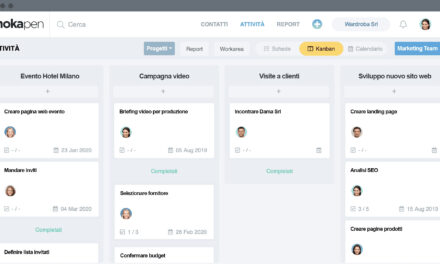
With Mokapen, teams can organize activities, assign owners, define deadlines and maintain visibility over project workload.
The goal is to move from reactive work toward more intentional planning.
Whether you prefer Time Blocking, Time Tracking or a combination of both, the important thing is to understand how the team uses its most limited resource: time.
Take control of your team’s time
Better time management does not mean filling every minute with work. It means making deliberate choices about where attention and effort should go.
Start by planning what matters, measuring what actually happens and improving from there.